The box arrives on a Tuesday morning. Half the questions first-time AED program owners have happen in the next hour, what’s actually inside, what should I do first, what looks like it’s missing, am I ready to mount this thing on the wall? This is the day-one unboxing playbook, the way an experienced program owner walks through it the first time.
Quick Answer
A standard new AED box contains: the device, adult pads (typically pre-loaded), the lithium battery (typically pre-installed), the physician prescription (FDA-required except on OTC models), the operator’s manual, a quick-reference card, and the warranty registration card. The wall cabinet, ISO 7010 signage, pediatric pads, mounting hardware, and CPR/AED training are separate purchases. Day-one verification takes about 15 minutes: confirm device serial, check pad expiration, power on for self-test, register the warranty, and file documentation.
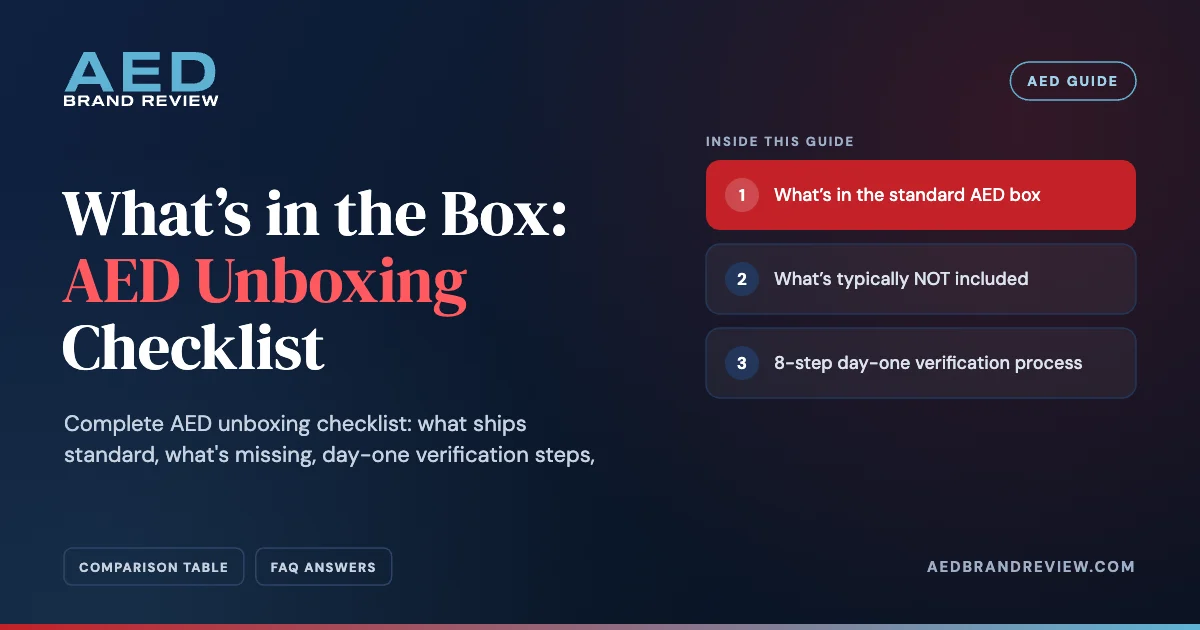
What’s in the standard AED box
- The AED device itself
- Adult electrode pads, typically pre-loaded in the device on most models
- Lithium battery, typically pre-installed (some models ship the battery separately for transit-mode preservation)
- Physician prescription document (FDA-required, except OTC models: Philips HeartStart OnSite and Home, HeartSine 350P)
- Operator’s manual (printed)
- Quick-reference card
- Manufacturer warranty registration card
- Soft carrying case or pouch (model-dependent)
- Small disposable razor for chest hair removal (some brands)
- Trauma shears for clothing removal (some brands)
- Towel or absorbent pad (some brands)
What’s typically NOT included
| Item | Typical cost | Notes |
|---|---|---|
| Wall cabinet (alarmed) | about $135 to $400 | Required for deployment |
| Heated outdoor cabinet | $600 to $1,200 | For sub-32°F winters |
| ISO 7010 wall sign + flag sign | $25 to $60 | Required for findability |
| Pediatric pads | $127 to $279 | Required if children are present |
| Mounting hardware | $10 to $30 | Bolts, screws, anchors |
| CPR/AED training | $60 to $130/person | Recommended for 2+ staff |
| Maintenance log binder | $0 to $25 | Buy or download the template |
The 8-step day-one verification process
1
Inspect the box exterior first
Visible damage, water exposure marks, and opened or re-taped seams. Photograph any concerns before opening. Damage on receipt is the seller’s responsibility, document immediately.
2
Locate and file the prescription
The FDA-required prescription document should be in the box. File it immediately in your AED program binder or shared-drive folder.
3
Cross-check the device serial
Compare the serial number on the device (typically on the back or inside the battery compartment) against the shipping confirmation and warranty registration card. Record it in your maintenance log.
4
Check the pad expiration date
The expiration date is visible through the sealed pad pouch. New pads should typically ship with at least 22 months remaining. If you receive pads expiring in less than 18 months, contact the seller for replacement.
5
Install the battery (if packed separately)
Most AEDs ship with the battery pre-installed. If yours arrived separately, follow the operator’s manual to insert. Click into the bay firmly until secured.
6
Power on and verify the self-test
Press the power button. Within 30 seconds, the AED runs a self-test. The status indicator should display green or the “ready” icon. Red or audible chirping means troubleshoot before mounting.
7
Register with the manufacturer
Mail the warranty registration card or register online using your device serial. Activates the warranty and qualifies you for direct recall notifications.
8
File all documentation
Prescription, operator’s manual, quick-reference card, warranty card copy, and serial number record. Single binder or shared-drive folder. This is your audit-ready starter file.
Day-one inventory checklist
- ☐ Box undamaged on receipt (photographed if damaged)
- ☐ Device serial matches shipping confirmation
- ☐ Physician prescription included and filed
- ☐ Operator’s manual present and reviewed
- ☐ Adult pads pre-loaded with 22+ months to expiration
- ☐ Battery installed and clicking firmly into bay
- ☐ Status indicator displays green after self-test
- ☐ Warranty card mailed or online registration submitted
- ☐ Carrying case present (if model includes)
- ☐ Quick-reference card filed in cabinet
- ☐ Cabinet, signage, pediatric pads ordered separately if needed
Status indicator troubleshooting, first-power-on problems
If the self-test fails on first power-on, three common causes:
- Battery not fully seated. Remove and reinsert firmly. Click should be audible.
- Check the operator’s manual. Follow the manufacturer’s troubleshooting steps for the status indicator before assuming failure.
- Genuine hardware defect. If the status is still red after reseating the battery and following the manual, contact the reseller for warranty replacement.
Photograph the status indicator for your baseline
On day one, take a timestamped photo of the status indicator showing green. This is your starting reference, every monthly inspection log photo gets compared against this baseline. Tape the day-one photo to the inside of your AED program binder.
Ordering soon? Pick the right model first
Unboxing goes smoother when the device matches your environment, IP rating, pediatric pathway, and warranty length.
The boring step that prevents missed inspections
Set the next monthly inspection on your calendar before you walk away from the box. Today is your baseline; one month from now is your first documented log entry. Skipping this reminder is the easiest way to miss an inspection, and missed inspections compound. See our AED inspection checklist.
Frequently Asked Questions
Does the AED come with a wall cabinet?
No, cabinets are separate purchases. Budget about $135 to $400 for an alarmed indoor, $600 to $1,200 for a heated outdoor.
Are adult pads included with the AED?
Yes, typically pre-loaded in the device. Pediatric pads are separate.
What if the AED box arrives damaged?
Photograph before opening, notify the seller within 48 hours. Authorized resellers honor damage-on-receipt returns.
How do I activate the AED warranty?
Mail the warranty registration card or register online with your device serial number within 30 days of receipt.
What if the self-test fails on day one?
Reseat the battery, wait 24 hours, retest. If still failing, contact the reseller for warranty replacement.
Is the battery installed when the AED ships?
Typically, yes, on most models. A few ship the battery separately for transit-mode preservation, check the operator’s manual.
How long should I wait before mounting the AED?
After verifying self-test passes (green status), usually within the first hour of unboxing. Don’t wait days.
What if the pads ship with less than 18 months to expiration?
Contact the seller for a replacement. New pads should ship with at least 22 months remaining.
Should I keep the original AED box?
Yes, for at least the warranty period. Most warranty returns require original packaging for cross-shipping.
Where do I find the device serial number?
Typically on a sticker on the back of the device or inside the battery compartment. Record in your maintenance log.
Do I need to test the AED before mounting?
The device runs its own self-test automatically on power-up. Confirming green status before mounting is best practice.
Should I photograph the device serial?
Yes, photo + maintenance log entry. If the device is ever stolen, the serial number is required for police reports and warranty replacement.
What if the operator’s manual is missing?
All major manufacturers publish PDFs online. Contact the reseller for a replacement printed copy.
How long does the unboxing process actually take?
About 15 minutes if everything’s normal. Up to an hour if you’re investigating issues or completing documentation thoroughly.
Can I mount the AED before I’ve registered with EMS?
Yes, but plan to register within 30 days. Most state registration portals can be completed in 10 to 15 minutes.
Take the quiz, 60 seconds, free.
Sources & References
- Manufacturer unboxing and setup documentation across all 6 brands
- FDA, AED Regulation
Disclaimer: Box contents vary by model and manufacturer. Verify with the reseller before purchase.